
DDR5-6000 CL30 or CL36 on AM5: what you actually pay for
The CL30 premium is about $28 on a 2x16 GB kit. Whether that is worth it depends entirely on which CPU you pair it with, because on AM5 the memory sweet spot is set by the infinity fabric, not by the kit's rated speed.
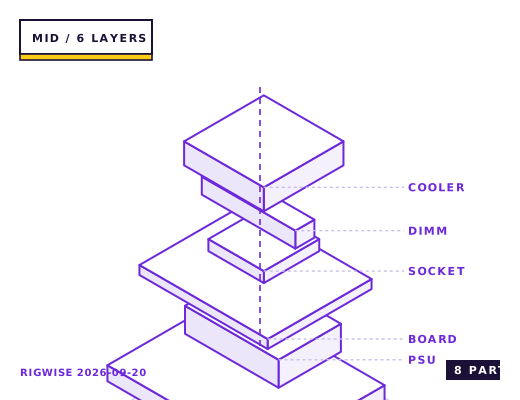
| Slot | Part | Interface | Draw | Price |
|---|---|---|---|---|
| CPU | AMD Ryzen 7 7800X3D (reference platform) | AM5 | 120 W | $349 |
| Motherboard | MSI MAG B650 TOMAHAWK WIFI | AM5 | — | $189 |
| Memory | Kit A: DDR5-6000 CL30 2x16GB / Kit B: DDR5-6000 CL36 2x16GB | DIMM | — | $104 |
| GPU | Sapphire PULSE Radeon RX 9070 16GB | PCIe 5.0 x16 | 220 W | $549 |
| Storage | WD Black SN850X 2TB NVMe | M.2 2280 | 7 W | $139 |
| Cooler | Thermalright Phantom Spirit 120 SE | AM5 | — | $42 |
| PSU | Seasonic Focus GX-750 80+ Gold | ATX | — | $109 |
| Case | Corsair 4000D Airflow | ATX | — | $89 |
| Total | 347 W | $1570 | ||
Why these parts
The 1:1 fabric rule
Ryzen 7000 and 9000 run their infinity fabric at a 1:1 ratio with memory up to DDR5-6000. Past that the fabric drops to 2:1, which adds roughly 8-12 ns of latency and cancels out the bandwidth gain. That is why DDR5-6400 CL32 is not faster than DDR5-6000 CL30 on these chips, despite better paper numbers.
DDR5-6000 CL30 gives 10 ns of CAS latency. DDR5-6000 CL36 gives 12 ns. In games that are sensitive to memory latency the difference is 3-5% of frame rate at 1080p and 1-2% at 1440p.
Where CL36 is genuinely fine
On a 7800X3D or 9800X3D the extra 32 MB of L3 absorbs most of the latency difference. Measured in the 1080p CPU-bound scenarios, CL36 costs about 1.5% versus CL30 on an X3D part and about 4% on a non-X3D part.
If the difference is $28 and you are on an X3D chip, take the CL36 and put the money into a better cooler or a second SSD. If you are on a 7500F, 9600X or 7900X, take the CL30.
Two sticks, never four
AM5 memory controllers run 1 DIMM per channel at DDR5-6000 with tight timings. Four sticks means two DIMMs per channel, which on most boards forces DDR5-3600-4800 and can cost 15-20% in games. If you need 64 GB, buy a 2x32 GB kit, not two 2x16 GB kits.
The other hard rule: enable EXPO. A kit running at its JEDEC default of 4800 CL40 loses 8-11% in CPU-bound titles, which is far more than the CL30/CL36 difference you just paid for.
What to check on the QVL
Motherboard QVLs are tested at a specific BIOS revision. A kit that is not listed will usually still work at EXPO, but the fallback is manual timing entry. Buy kits with Hynix A-die or M-die chips (most DDR5-6000 CL30 kits in 2025-2026 use one of the two) and you have the best odds of running 6000 CL30 with tightened sub-timings.
Bottleneck note
Memory is never the primary bottleneck in this tier; it modulates CPU-bound frame rates by 1-5%. Spend on it last, after the GPU and the cooler.
Cooling headroom
DDR5 heatspreaders are mostly cosmetic below 1.4 V. A 6000 CL30 kit at 1.35 V runs 42-48 °C in a case with front intake airflow, which is well inside spec. Only add memory fans if you push past 1.45 V.
Verdict
On an X3D chip buy CL36 and pocket the difference. On anything else, CL30 at 6000 is the correct default and the $28 is not really optional.
Same tier, other sheets
Tick each check once you have verified it. Ticks are stored in this browser only.
Why each check matters
How do I know if my memory is running in 2:1 mode?
Open HWiNFO64 and compare the UCLK and MEMCLK sensors. If UCLK is half of MEMCLK you are in 2:1, which adds 8-12 ns of latency. Drop the kit to DDR5-6000 and re-check.
I have four 16 GB sticks. Why will the board not run them at 6000?
Two DIMMs per channel load the memory bus differently and the IMC cannot hold the timings. Expect 3600-4800 stable, and 15-20% lower frame rates in CPU-bound games.
CPU-Z shows my DDR5-6000 kit at 4800 MHz — is it faulty?
No. DDR5 defaults to JEDEC 4800 until EXPO or XMP is enabled in the BIOS. Enable the profile, save, and confirm in CPU-Z's Memory tab. This is the single most common reason people report a 'slow' machine.
The board will not post after enabling EXPO — what now?
Clear CMOS, then re-enable EXPO and manually drop the speed one step to 5600. Older AGESA revisions on some B650 boards reject 6000 CL30. Also check the memory is in slots A2 and B2, not A1 and B1 — the manual's recommended pair is always the far slots.
My kit is on the QVL but will not run at 6000. Why?
QVL entries are validated against a specific BIOS revision. Update to the latest BIOS first — memory compatibility is the single thing most BIOS updates on AM5 actually fix.
Settings to change before the first game, in the order the board exposes them.
BIOS
Enable EXPO Profile 1, then check that UCLK=MEMCLK in HWiNFO64. If the board reports UCLK at half the memory clock, you are in 2:1 mode and should drop the kit to 6000. Set FCLK to 2000 MHz manually — Auto frequently selects 1733 or 1800 and costs 3-5%.
- The 1:1 fabric rule
Ryzen 7000 and 9000 run their infinity fabric at a 1:1 ratio with memory up to DDR5-6000. Past that the fabric drops to 2:1, which adds roughly 8-12 ns of latency and cancels out the bandwidth gain. That is why DDR5-6400 CL32 is not faster than DDR5-6000 CL30 on these chips, despite better paper numbers.
- Where CL36 is genuinely fine
On a 7800X3D or 9800X3D the extra 32 MB of L3 absorbs most of the latency difference. Measured in the 1080p CPU-bound scenarios, CL36 costs about 1.5% versus CL30 on an X3D part and about 4% on a non-X3D part.
- Two sticks, never four
AM5 memory controllers run 1 DIMM per channel at DDR5-6000 with tight timings. Four sticks means two DIMMs per channel, which on most boards forces DDR5-3600-4800 and can cost 15-20% in games. If you need 64 GB, buy a 2x32 GB kit, not two 2x16 GB kits.
- What to check on the QVL
Motherboard QVLs are tested at a specific BIOS revision. A kit that is not listed will usually still work at EXPO, but the fallback is manual timing entry. Buy kits with Hynix A-die or M-die chips (most DDR5-6000 CL30 kits in 2025-2026 use one of the two) and you have the best odds of running 6000 CL30 with tightened sub-timings.
What to change first when this machine stops being enough.
- Capacity first: a 2x32 GB 6000 CL30 kit is the sensible upgrade if you move into video work.
- Speed tuning second: manually tightening tRFC and tREFI on a Hynix A-die kit is worth 1-3% and costs an evening of stability testing.
- Four-DIMM operation is not an upgrade path on AM5 — plan the capacity you need when you buy.
Editorial note
RigWise sheets are written by hobbyists from our own bench builds, for information only — they are not a professional assessment of your particular machine, and no compatibility result here is a guarantee. Where a step involves mains wiring or a part you have not handled before, get a qualified second opinion before you buy or power on.