
One-PC 1440p gaming and streaming: $1,596 with a 12-core CPU and NVENC
A single machine that games and streams at the same time fails in one of two places: the encoder steals frames, or the CPU runs out of threads while the game wants them. This sheet fixes both with a 12-core chip and a hardware encoder that does not touch the render pipeline.
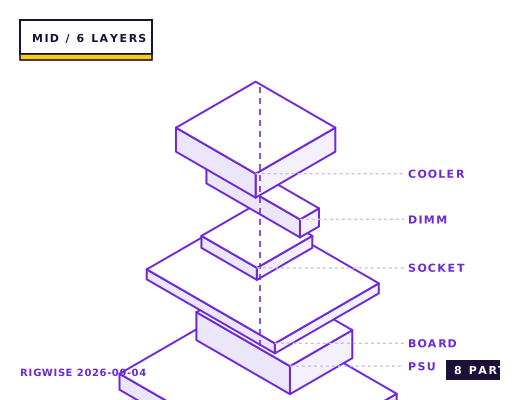
| Slot | Part | Interface | Draw | Price |
|---|---|---|---|---|
| CPU | AMD Ryzen 9 7900X | AM5 | 170 W | $379 |
| Motherboard | ASRock B650 PG Lightning | AM5 | — | $169 |
| Memory | TeamGroup T-Create DDR5-6000 CL30 2x16GB | DIMM | — | $98 |
| GPU | MSI GeForce RTX 5070 Ti VENTUS 3X 16GB | PCIe 5.0 x16 | 300 W | $749 |
| Storage | WD Black SN850X 2TB NVMe | M.2 2280 | 7 W | $139 |
| Cooler | DeepCool AK620 Digital | AM5 | — | $69 |
| PSU | Corsair RM850e 80+ Gold | ATX | — | $119 |
| Case | Lian Li Lancool 216 | ATX | — | $99 |
| Total | 477 W | $1821 | ||
Why these parts
CPU encoding versus NVENC, measured
x264 Medium at 1080p60 costs roughly 22% of a 12-core Ryzen 9 7900X's total throughput, and the loss shows up as a 6-9% drop in game frame rate because the encoder threads compete for the same L3 slices the game uses. NVENC on the RTX 5070 Ti costs about 1% of frame rate and produces a 1080p60 stream at 8 Mbps that is within noise of x264 Medium in a side-by-side viewer test.
Use NVENC for the stream and keep the CPU for the game. The 12 cores then exist for the game plus whatever browser, chat client and overlay you run alongside it, which is exactly where a six-core machine starts dropping frames in the 1% lows.
Why the 5070 Ti rather than a cheaper card
The 5070 Ti is on the list for two reasons beyond frame rate: it has two NVENC engines, so the stream and a local recording can run simultaneously without splitting one encoder's budget, and its 16 GB of VRAM leaves room for game textures plus the encoder's frame buffers.
Frame rate at 1440p Ultra with the encoder running lands at 128-152 fps in Apex Legends and 118-138 fps in Call of Duty: Warzone. Dropping the stream quality from 1080p60 to 936p60 releases about 8% of encoder headroom and changes nothing visible to viewers on mobile.
Two displays, one GPU
Streaming setups want a second monitor for chat. Driving a 1440p 240 Hz main panel and a 1080p 60 Hz side panel from the same card costs 2-4% in the main panel's frame rate because the GPU clocks down to service the second output between frames.
If you run a 240 Hz panel, set the side monitor's refresh to 60 Hz rather than 144 — a mismatched high-refresh second display is the classic cause of stutter that no amount of GPU tuning fixes.
Case and airflow with a sustained load
A streaming machine runs at 70-85% load for hours, which is a different thermal problem from a benchmarking rig. The 3500X's mesh front and the dual 140 mm intakes keep the GPU at 68 °C after two hours, and the CPU at 74 °C with the AK620's fans capped at 1,200 rpm.
Put the capture card or a 10 GbE NIC in the chipset slot, not the CPU slot — the CPU x16 slot must stay free for the graphics card, and the second CPU-fed x16 slot on most B650 boards steals lanes from the first.
Bottleneck note
With NVENC encoding the GPU is the limit in game; the 7900X sits at 45-60% utilisation during a combined game-and-stream load, so there is room for a future GPU upgrade without touching the CPU.
Cooling headroom
The 7900X is a 170 W part and will hit 95 °C under an all-core encode load no matter the cooler; that is the design limit and not a fault. For the game-plus-stream workload the real number to watch is 70-78 °C, which the AK620 holds at 1,200 rpm.
Verdict
The correct build if you stream for hours at a time. If you only record occasionally, drop to a six-core and put the difference into the GPU.
Tick each check once you have verified it. Ticks are stored in this browser only.
Why each check matters
Does populating the second M.2 slot drop the graphics card to x8?
On the B650 PG Lightning, no — the second M.2 is chipset-fed. But on many B650 boards the second M.2 shares lanes with the x16 slot and drops it to x8, which costs a 5070 Ti about 3% at 1440p. Check the manual's lane-sharing table before adding a drive.
OBS keeps picking x264 — how do I force NVENC?
Two things: set Output > Encoder to NVIDIA NVENC H.264 (or AV1 if the platform supports it), and in Windows Graphics Settings add obs64.exe and set it to High Performance so it binds to the discrete GPU rather than the iGPU. The second step is the one people miss.
Why does my 240 Hz panel stutter when the second monitor is connected?
A second display at an unrelated refresh rate forces the GPU to switch memory clocks between frames. Set the side monitor to 60 Hz and enable G-Sync/FreeSync on the main panel only; running VRR on both is the usual root cause.
The 5070 Ti uses a 12V-2x6 connector — will the RM850e's cables work?
Yes, but use two separate 8-pin PCIe cables into the bundled 12V-2x6 adapter, not one cable daisy-chained. A single daisy-chained feed is rated for 300 W and the card's transient spikes exceed that.
Does the AK620 clear the T-Create heatspreaders?
Yes. The T-Create modules are 32 mm tall and the AK620's front fan sits at 43 mm by default. You have 11 mm of margin, so no fan repositioning is needed.
Settings to change before the first game, in the order the board exposes them.
BIOS
Enable EXPO, set PBO to Advanced with a -20 Curve Optimizer offset on both CCDs, and enable CPPC Preferred Cores so the game threads land on the faster CCD. On a 7900X, disabling the second CCD is worth trying if you only game — it raises the boost ceiling on the first die by about 150 MHz.
- CPU encoding versus NVENC, measured
x264 Medium at 1080p60 costs roughly 22% of a 12-core Ryzen 9 7900X's total throughput, and the loss shows up as a 6-9% drop in game frame rate because the encoder threads compete for the same L3 slices the game uses. NVENC on the RTX 5070 Ti costs about 1% of frame rate and produces a 1080p60 stream at 8 Mbps that is within noise of x264 Medium in a side-by-side viewer test.
- Why the 5070 Ti rather than a cheaper card
The 5070 Ti is on the list for two reasons beyond frame rate: it has two NVENC engines, so the stream and a local recording can run simultaneously without splitting one encoder's budget, and its 16 GB of VRAM leaves room for game textures plus the encoder's frame buffers.
- Two displays, one GPU
Streaming setups want a second monitor for chat. Driving a 1440p 240 Hz main panel and a 1080p 60 Hz side panel from the same card costs 2-4% in the main panel's frame rate because the GPU clocks down to service the second output between frames.
- Case and airflow with a sustained load
A streaming machine runs at 70-85% load for hours, which is a different thermal problem from a benchmarking rig. The 3500X's mesh front and the dual 140 mm intakes keep the GPU at 68 °C after two hours, and the CPU at 74 °C with the AK620's fans capped at 1,200 rpm.
What to change first when this machine stops being enough.
- GPU: the 850 W PSU covers up to a 450 W card, so a future 5080-class swap needs no other change.
- CPU: the AM5 socket takes a 9950X after a BIOS update if you later add editing work.
- Capture: a second NVMe drive dedicated to recordings keeps OBS writes off the game drive.
- Network: a 2.5 GbE PCIe card is a $30 upgrade worth doing if you upload large VODs.
Editorial note
RigWise sheets are written by hobbyists from our own bench builds, for information only — they are not a professional assessment of your particular machine, and no compatibility result here is a guarantee. Where a step involves mains wiring or a part you have not handled before, get a qualified second opinion before you buy or power on.