
1440p 165 Hz sweet spot: $1,412 with a 7800X3D and RX 9070
1440p at 165 Hz is the point where the CPU and GPU budgets finally meet in the middle. This sheet is built around a cache-heavy eight-core and a 16 GB card, with the case and cooling chosen so the machine stays quiet under a long session.
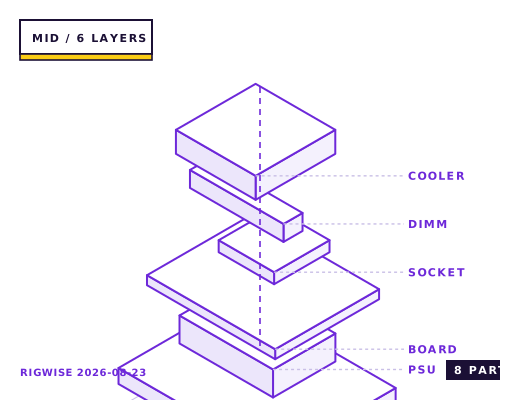
| Slot | Part | Interface | Draw | Price |
|---|---|---|---|---|
| CPU | AMD Ryzen 7 7800X3D | AM5 | 120 W | $349 |
| Motherboard | Gigabyte B650 AORUS ELITE AX V2 | AM5 | — | $179 |
| Memory | G.Skill Flare X5 DDR5-6000 CL30 2x16GB | DIMM | — | $104 |
| GPU | Sapphire PULSE Radeon RX 9070 16GB | PCIe 5.0 x16 | 220 W | $549 |
| Storage | Samsung 990 PRO 2TB NVMe | M.2 2280 | 7 W | $149 |
| Cooler | Thermalright Peerless Assassin 120 SE | AM5 | — | $36 |
| PSU | Seasonic Focus GX-750 80+ Gold | ATX | — | $109 |
| Case | Corsair 4000D Airflow | ATX | — | $89 |
| Total | 347 W | $1564 | ||
Why these parts
The 7800X3D argument at 1440p
At 1440p the GPU does most of the work, but the 1% lows are still set by the CPU. The 7800X3D's 96 MB of L3 cache keeps frame pacing flat in simulation-heavy titles like Microsoft Flight Simulator and Cities: Skylines II, where a higher-clocked non-X3D chip will show 20-30 fps dips even though its average looks fine.
You do not need the 9800X3D for a 165 Hz panel. The gap between the two is roughly 8-12% at 1440p, and that difference is invisible unless you are chasing the last 15 frames above 165.
Why 16 GB of VRAM changes the settings menu
The RX 9070's 16 GB lets you leave texture streaming on Ultra at 1440p in Hogwarts Legacy, Indiana Jones and the Great Circle, and Star Wars Outlaws without the texture pop that 8 GB cards show when they evict to system memory. In practice that is the difference between Ultra and High textures on every one of those titles.
Frame rate is broadly similar to the previous generation at the same tier; the generational gain is mostly efficiency. Expect 115-145 fps at 1440p Ultra in Cyberpunk 2077 with FSR Quality and no ray tracing, and 150-175 fps in Battlefield 6.
Airflow layout in the 4000D
Two 140 mm front intakes plus one 120 mm rear exhaust is the layout that keeps both the GPU and the CPU cooler fed. The front filter on the 4000D is coarse mesh, so the intakes move air at low RPM without the whine you get from 120 mm fans pushed to 1,400 rpm.
The Peerless Assassin fits with about 12 mm of clearance under the glass side panel on the 4000D Airflow. That matters because the cooler's 155 mm height is measured to the top of the fin stack, and the fan clips add another 3 mm.
Where the money is wasted
A DDR5-6400 CL32 kit costs about $30 more than the 6000 CL30 pair and gains nothing measurable on a 7800X3D, because the X3D parts are insensitive to memory bandwidth past 6000 with a 1:1 fabric clock.
A 1000 W PSU is also dead money here. The measured wall draw for this build under a combined CPU+GPU load is 462 W, so a 750 W Gold unit runs at 62% load — the efficiency peak for most modern platforms.
Bottleneck note
At 1440p Ultra the GPU is the limit in every title tested. The 7800X3D only becomes the constraint if you drop to 1080p competitive settings or run a simulation title with heavy scripting.
Cooling headroom
The 7800X3D is a 120 W part that runs hot by design — 80-85 °C in a long Cinebench run is normal and not a throttling sign, because the X3D voltage limit arrives before the thermal limit. A dual-tower air cooler is sufficient and cheaper than a 240 mm AIO.
Verdict
The most common build advice for a reason: nothing in this sheet is overspent, and every part has a clear upgrade road behind it.
Tick each check once you have verified it. Ticks are stored in this browser only.
Why each check matters
Does the PULSE RX 9070 fit the 4000D with the front fans installed?
Yes. The card is 320 mm long and the 4000D takes 360 mm with front fans fitted, leaving 40 mm for the power cables.
Does the Focus GX-750 include enough PCIe cables for a 220 W card?
It ships with three 6+2 PCIe cables, one of which is a daisy-chained pair. Use two separate cables rather than the daisy chain for the 9070 to avoid transient-trip shutdowns.
Will the B650 AORUS ELITE AX V2 boot a 7800X3D out of the box?
Usually yes, but boards shipped before mid-2023 carry an AGESA that may not. Ask the seller for the BIOS revision, or use the Q-Flash Plus button to update from a USB stick without a CPU installed.
Does the 4000D front USB-C work on this motherboard?
Yes. The B650 AORUS ELITE AX V2 has a front-panel USB 3.2 Gen 2x2 header, which is what the 4000D's single USB-C cable needs.
Does the Peerless Assassin clear the Flare X5 heatspreaders?
The Flare X5 is 34 mm tall and the cooler's front fan sits at 38 mm in its stock position. If you need more room, the fan clips allow raising it to 43 mm, which adds 5 mm to the total cooler height.
Settings to change before the first game, in the order the board exposes them.
BIOS
Enable EXPO, set the FCLK to 2000 MHz manually if the board leaves it on Auto (many B650 boards pick 1733 and cost you 3-5% in CPU-bound scenes), and enable PBO with a -20 Curve Optimizer offset. Also set the fan-stop threshold on the CPU fan header to 60 °C so the cooler does not spin up while idling.
- The 7800X3D argument at 1440p
At 1440p the GPU does most of the work, but the 1% lows are still set by the CPU. The 7800X3D's 96 MB of L3 cache keeps frame pacing flat in simulation-heavy titles like Microsoft Flight Simulator and Cities: Skylines II, where a higher-clocked non-X3D chip will show 20-30 fps dips even though its average looks fine.
- Why 16 GB of VRAM changes the settings menu
The RX 9070's 16 GB lets you leave texture streaming on Ultra at 1440p in Hogwarts Legacy, Indiana Jones and the Great Circle, and Star Wars Outlaws without the texture pop that 8 GB cards show when they evict to system memory. In practice that is the difference between Ultra and High textures on every one of those titles.
- Airflow layout in the 4000D
Two 140 mm front intakes plus one 120 mm rear exhaust is the layout that keeps both the GPU and the CPU cooler fed. The front filter on the 4000D is coarse mesh, so the intakes move air at low RPM without the whine you get from 120 mm fans pushed to 1,400 rpm.
- Where the money is wasted
A DDR5-6400 CL32 kit costs about $30 more than the 6000 CL30 pair and gains nothing measurable on a 7800X3D, because the X3D parts are insensitive to memory bandwidth past 6000 with a 1:1 fabric clock.
What to change first when this machine stops being enough.
- GPU: an RTX 5080 is a straight swap at 750 W, though you would want a 3x PCIe 8-pin cable set.
- CPU: the same AM5 socket takes the 9800X3D after a BIOS update — the single biggest gain on this platform, worth about 10% at 1440p.
- Storage: the 4000D's two 2.5-inch mounts are usable for SATA SSDs if you keep bulk media off the NVMe drive.
- Cooling: only swap to a 280 mm AIO if you move to a 16-core chip, which this board's VRM can supply but the dual-tower cooler starts to struggle with under sustained all-core loads.
Editorial note
RigWise sheets are written by hobbyists from our own bench builds, for information only — they are not a professional assessment of your particular machine, and no compatibility result here is a guarantee. Where a step involves mains wiring or a part you have not handled before, get a qualified second opinion before you buy or power on.