
Threadripper or Core Ultra 9 for rendering? Where the money actually goes
The gap between a 32-core Threadripper and a 24-core Core Ultra 9 in a Blender render is smaller than the core count suggests, and the platform cost difference is larger than most people expect. Here is the break-even.
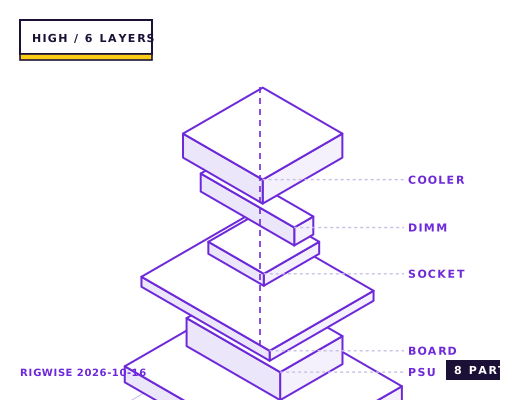
| Slot | Part | Interface | Draw | Price |
|---|---|---|---|---|
| CPU | Option A: AMD Threadripper 7970X (32C) / Option B: Intel Core Ultra 9 285K (24C) | sTR5 / LGA1851 | 350 W | $2499 |
| Motherboard | Option A: ASUS Pro WS TRX50-SAGE WIFI / Option B: ASUS ProArt Z890-CREATOR | sTR5 / LGA1851 | — | $899 |
| Memory | Option A: 4x32GB DDR5-5600 RDIMM ECC / Option B: 2x48GB DDR5-6400 CUDIMM | DIMM | — | $649 |
| GPU | NVIDIA GeForce RTX 5080 16GB | PCIe 5.0 x16 | 360 W | $999 |
| Storage | 2x Crucial T705 4TB NVMe Gen5 (scratch + output) | M.2 2280 | 22 W | $758 |
| Cooler | Option A: Arctic Liquid Freezer III 420 / Option B: Noctua NH-D15 G2 | sTR5 / LGA1851 | — | $149 |
| PSU | Seasonic PRIME TX-1300 80+ Titanium | ATX | — | $379 |
| Case | Fractal Design Meshify 2 XL | E-ATX | — | $199 |
| Total | 732 W | $6531 | ||
Why these parts
The render benchmark is not the whole story
In a Blender Classroom CPU render, a 32-core Threadripper 7970X finishes in about 62% of the time a Core Ultra 9 285K takes. That is a large margin — but it is also the most favourable possible case, because Blender scales almost linearly with cores and has no memory-latency sensitivity.
In After Effects, which is largely single-threaded for its timeline and effect pipeline, the 285K is faster than the 7970X despite having fewer cores. The same is true of most CAD and audio workloads. If your work is a mix, the Threadripper's advantage shrinks to 15-25%.
The platform cost nobody quotes
An sTR5 motherboard starts at $650 and realistically costs $800-900 for one with enough M.2 and PCIe slots. That is $600 more than a comparable X870 board. Add the fact that Threadripper requires registered ECC memory or specific unbuffered kits, and the memory cost doubles.
Threadripper also draws 350 W at stock and needs a 360 mm AIO at minimum; the 285K draws 250 W and is fine on a high-end air cooler. Total system cost for the two builds lands about $1,400 apart before the GPU.
When Threadripper pays for itself
At 62% of the render time, a Threadripper saves 38 minutes on a two-hour render. If you bill $75 an hour for that machine's time and run four two-hour renders a week, that is about $190 a week, so the $1,400 premium pays back in seven and a half weeks.
If you run two renders a week and the machine is otherwise idle, the payback is seven months and the 285K's lower power draw and quieter cooling become the better business decision.
Bottleneck note
CPU core count is the limit in a pure CPU render. In a mixed workflow the limit moves to single-thread performance, PCIe lane count for multi-GPU or capture setups, and memory bandwidth for simulation.
Cooling headroom
Threadripper's 350 W needs a 360 mm AIO and even then settles at 88-92 °C under sustained render. The 285K at 250 W sits at 82-86 °C on a dual-tower air cooler. In a shared office, the Threadripper's cooling noise is a real consideration.
Verdict
Threadripper pays back in under two months if rendering is the billable work. If it is occasional, the Core Ultra 9 is the better business decision.
Tick each check once you have verified it. Ticks are stored in this browser only.
Why each check matters
Can I use regular desktop DDR5 in a Threadripper board?
No. sTR5 uses RDIMM registered memory. Desktop UDIMMs will not post. Check the board's QVL for RDIMM kits specifically — the memory is the second-largest cost in a Threadripper build and the easiest thing to buy wrong.
Will LGA1851 support a future CPU generation?
Intel has confirmed LGA1851 as a single-generation socket. Treat the 285K as the CPU this machine ends its life with, and size the board accordingly — that argues for buying the board you actually want now.
Why is my Threadripper slower than benchmarks in simulation workloads?
Check the NUMA mode. Boards default to NPS1, which presents all four CCDs as one domain and makes every memory access cross a die boundary. NPS4 gives 8-14% in memory-bound simulation and makes no difference in Blender.
Is 1300 W enough for a 350 W CPU and a 360 W GPU?
Sustained draw is about 800 W, leaving 500 W for transients. That is the right margin. But use four separate PCIe cables for the GPU and both EPS 8-pin connectors for the CPU — Threadripper boards need both.
Does a 420 mm radiator fit the Meshify 2 XL top mount?
Yes, but only with the top panel in its open configuration and only if the board's CPU socket does not sit at the top edge. On sTR5 boards the socket is large and central, so clearance is usually fine — measure before buying.
Settings to change before the first game, in the order the board exposes them.
BIOS
On Threadripper set the memory to its rated EXPO/XMP profile and confirm the NUMA mode is set to NPS4 rather than NPS1 — on a 32-core part, NPS4 gives 8-14% in simulation workloads that are memory-bound. On Core Ultra, enable the board's 'Extreme' power profile and set the memory to Gear 2 for anything above DDR5-6400.
- The render benchmark is not the whole story
In a Blender Classroom CPU render, a 32-core Threadripper 7970X finishes in about 62% of the time a Core Ultra 9 285K takes. That is a large margin — but it is also the most favourable possible case, because Blender scales almost linearly with cores and has no memory-latency sensitivity.
- The platform cost nobody quotes
An sTR5 motherboard starts at $650 and realistically costs $800-900 for one with enough M.2 and PCIe slots. That is $600 more than a comparable X870 board. Add the fact that Threadripper requires registered ECC memory or specific unbuffered kits, and the memory cost doubles.
- When Threadripper pays for itself
At 62% of the render time, a Threadripper saves 38 minutes on a two-hour render. If you bill $75 an hour for that machine's time and run four two-hour renders a week, that is about $190 a week, so the $1,400 premium pays back in seven and a half weeks.
What to change first when this machine stops being enough.
- Threadripper: the same sTR5 socket takes the 64-core 7985WX, which is the reason to pick the platform at all — a single part swap doubles the render throughput.
- Core Ultra: LGA1851 is a single-generation socket, so plan the CPU as fixed for the machine's life.
- Memory: Threadripper's eight channels matter for simulation; four channels on Core Ultra is the hard constraint for CFD and FEA work.
- GPU: both platforms provide enough PCIe lanes for two cards, but only sTR5 gives x16/x16 without bifurcation compromises.
Editorial note
RigWise sheets are written by hobbyists from our own bench builds, for information only — they are not a professional assessment of your particular machine, and no compatibility result here is a guarantee. Where a step involves mains wiring or a part you have not handled before, get a qualified second opinion before you buy or power on.