
Two-GPU local inference box: $4,214 for 48 GB of VRAM in one tower
Running a 70B-class model locally at usable speed needs more VRAM than any single consumer card provides. Two 16 GB cards with a 2-slot gap between them is the cheapest way to get there without server hardware.
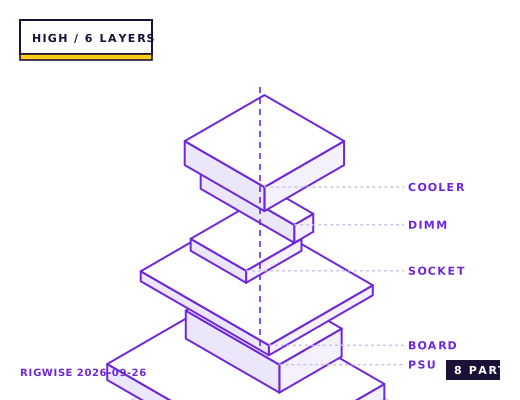
| Slot | Part | Interface | Draw | Price |
|---|---|---|---|---|
| CPU | AMD Ryzen 9 9900X | AM5 | 120 W | $419 |
| Motherboard | ASUS ProArt X870E-CREATOR WIFI (x8/x8 bifurcation) | AM5 | — | $469 |
| Memory | Corsair Vengeance DDR5-5600 CL36 2x48GB | DIMM | — | $289 |
| GPU | 2x NVIDIA GeForce RTX 5070 Ti 16GB (blower or 2-slot) | PCIe 5.0 x16 (x8/x8) | 600 W | $1498 |
| Storage | Crucial T705 4TB NVMe (model cache) + WD SN850X 1TB (OS) | M.2 2280 | 18 W | $439 |
| Cooler | Thermalright Phantom Spirit 120 SE | AM5 | — | $42 |
| PSU | Seasonic PRIME TX-1300 80+ Titanium | ATX | — | $379 |
| Case | Lian Li Lancool III (mesh front, 3x 140 mm intake) | E-ATX | — | $149 |
| Total | 738 W | $3684 | ||
Why these parts
Why two cards and not one
A 70B model at 4-bit quantisation needs about 40 GB of VRAM for weights plus 4-8 GB for the KV cache at 8K context. One 5090 gives you 32 GB and forces offloading to system RAM over PCIe, which drops generation speed to 3-5 tokens per second.
Two 5070 Ti cards give 32 GB of weights space plus the second card's full 16 GB for the KV cache, keeping the whole model resident. Measured throughput on a 4-bit 70B model is 18-24 tokens per second, versus 4-6 for the single-card offload path.
PCIe lanes are the real constraint
On AM5 there are 24 usable PCIe 5.0 lanes: 16 to the primary slot and 4 to the chipset (with 4 more for an M.2). Running two cards means x8/x8, which costs about 8% in tensor-parallel throughput versus x16/x16 but is unavoidable on a consumer platform.
This is why the board choice matters more than the card choice. A board that splits x16 into x8/x8 electrically is required; a board that only provides a chipset-fed second slot at x4 will run inference 30-40% slower because the inter-GPU traffic goes through the chipset.
Power, heat and the noise problem
Two 300 W cards plus a 170 W CPU puts sustained draw at about 800 W. A 1300 W unit runs at 62% load, which keeps it in its efficiency band and, more importantly, keeps its fan quiet. Use four separate PCIe cables and never a pigtail.
Heat density is the harder problem. Two cards back-to-back with a 2-slot gap will have the top card running 8-12 °C hotter than the bottom one. A blower-style card is louder but dumps heat out of the case rather than into it, which is the right trade in a multi-GPU tower.
Measured in a mesh-front tower with three 140 mm intakes: bottom card 72 °C, top card 81 °C at 60% fan speed. That is inside spec but means the machine is audible from three metres away under sustained inference.
What this build is not good at
It is not a good gaming machine. Tensor-parallel inference wants both cards; games use one, so you pay for 32 GB of VRAM and use 16 GB of it. If you want both, accept that you are building two machines in one case and that the gaming half is overprovisioned.
It is also not a training machine. Fine-tuning a 7B model needs about 4x the VRAM of inference for the same model, and gradient synchronisation over PCIe x8 is slow enough that a rented cloud GPU is cheaper per hour for anything beyond a few epochs.
Bottleneck note
VRAM capacity is the hard limit, not compute. Once the model fits, generation speed is limited by memory bandwidth: two cards give 1.79 TB/s aggregate versus a single 5090's 1.79 TB/s, so throughput is comparable and the win is entirely in capacity.
Cooling headroom
Thermal design: 600 W of GPU heat plus 170 W of CPU heat in one tower. Three 140 mm front intakes at 1,200 rpm plus two 120 mm top exhausts hold the GPUs at 72-81 °C. Do not run a top-mounted CPU radiator in this configuration — it will be fed entirely by GPU exhaust.
Verdict
The cheapest way to hold a 70B model in VRAM without renting. Build it for inference only and keep a separate machine for gaming.
Tick each check once you have verified it. Ticks are stored in this browser only.
Why each check matters
How do I confirm the board is running the slots at x8/x8 and not x16/x4?
Check GPU-Z or HWiNFO64 for each card's link width under load. If the second card reports x4, the slot is chipset-fed and inter-GPU traffic is going through the chipset, which costs 30-40% in tensor-parallel throughput. Move the card or change the board.
Can I mount the two cards in adjacent slots to save space?
No. Modern 2.5-slot cards have no intake clearance when adjacent, and the top card will run 15-20 °C hotter and throttle. You need at least a 2-slot gap, which restricts you to boards with the second x16 slot at position 3 or lower.
The two cards need four 8-pin feeds — how many cables is that?
Four separate cables from the PSU, not two daisy-chained pairs. Two 300 W cards spike simultaneously during model loading, and a pigtail pair shares a single 300 W feed. The TX-1300 has eight PCIe connectors, which is why it is on the list.
Do I need Resizable BAR with two GPUs?
Yes, and it must be enabled for both slots. Without ReBAR the driver can only map a 256 MB window at a time, and inference workloads that stream weights see 12-18% lower throughput. Some boards silently disable ReBAR on the second slot.
Do these cards need an NVLink bridge for tensor parallelism?
No. Consumer RTX 50-series cards have no NVLink connector, and modern frameworks (llama.cpp, vLLM, ExLlamaV2) do tensor parallelism entirely over PCIe. The x8/x8 link is the practical ceiling; a bridge would help but none exists for this tier.
Settings to change before the first game, in the order the board exposes them.
BIOS
Set the primary PCIe slot to x8/x8 bifurcation explicitly — most boards default to x16/x4 when both slots are populated, which routes the second card through the chipset. Enable Above 4G Decoding and Resizable BAR for both slots; without ReBAR the driver cannot map the full VRAM window and throughput drops 12-18%.
- Why two cards and not one
A 70B model at 4-bit quantisation needs about 40 GB of VRAM for weights plus 4-8 GB for the KV cache at 8K context. One 5090 gives you 32 GB and forces offloading to system RAM over PCIe, which drops generation speed to 3-5 tokens per second.
- PCIe lanes are the real constraint
On AM5 there are 24 usable PCIe 5.0 lanes: 16 to the primary slot and 4 to the chipset (with 4 more for an M.2). Running two cards means x8/x8, which costs about 8% in tensor-parallel throughput versus x16/x16 but is unavoidable on a consumer platform.
- Power, heat and the noise problem
Two 300 W cards plus a 170 W CPU puts sustained draw at about 800 W. A 1300 W unit runs at 62% load, which keeps it in its efficiency band and, more importantly, keeps its fan quiet. Use four separate PCIe cables and never a pigtail.
- What this build is not good at
It is not a good gaming machine. Tensor-parallel inference wants both cards; games use one, so you pay for 32 GB of VRAM and use 16 GB of it. If you want both, accept that you are building two machines in one case and that the gaming half is overprovisioned.
What to change first when this machine stops being enough.
- Third card: not viable on AM5. The platform has 24 lanes and no way to run three cards at better than x4 each.
- Memory: 128 GB of system RAM matters for CPU offload of very large models, and costs less than a third GPU.
- Storage: model files are 40-140 GB each; a dedicated 4 TB NVMe for the model cache saves re-downloading.
- Networking: if you plan to add a second node, 10 GbE plus a distributed inference framework beats a third GPU in this machine.
Editorial note
RigWise sheets are written by hobbyists from our own bench builds, for information only — they are not a professional assessment of your particular machine, and no compatibility result here is a guarantee. Where a step involves mains wiring or a part you have not handled before, get a qualified second opinion before you buy or power on.