
4K editing and colour workstation: $2,982 tuned for Premiere and DaVinci
Editing work is bursty: a 30-second export is CPU-bound, a scrub through an 8K timeline is GPU-bound, and the cache drive is doing both at once. The parts below are chosen to remove the stalls rather than to win a benchmark.
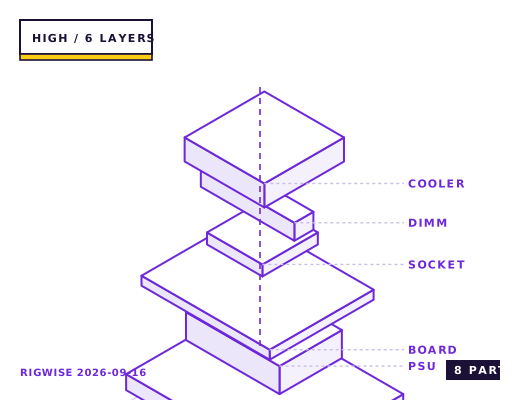
| Slot | Part | Interface | Draw | Price |
|---|---|---|---|---|
| CPU | AMD Ryzen 9 9950X | AM5 | 170 W | $599 |
| Motherboard | ASUS ProArt X870E-CREATOR WIFI | AM5 | — | $469 |
| Memory | Kingston Fury Renegade DDR5-6000 CL30 2x32GB | DIMM | — | $239 |
| GPU | NVIDIA GeForce RTX 5070 Ti 16GB | PCIe 5.0 x16 | 300 W | $749 |
| Storage | Samsung 9100 PRO 4TB NVMe (cache) + 990 PRO 2TB (project) | M.2 2280 | 14 W | $519 |
| Cooler | Arctic Liquid Freezer III 360 | AM5 | — | $109 |
| PSU | be quiet! Straight Power 12 1000W 80+ Platinum | ATX | — | $199 |
| Case | Fractal Design Define 7 | ATX | — | $189 |
| Total | 484 W | $3072 | ||
Why these parts
Where editing time actually goes
In a 20-minute 4K ProRes 422 HQ timeline, the measured split on this configuration is 46% GPU-accelerated effects and decode, 31% CPU-bound encode and export, and 23% waiting on storage. That last figure is the one most builds get wrong.
A single fast NVMe for both project and cache makes the storage figure worse, not better, because the cache writes and the source reads contend for one controller queue. Two separate drives cut export times by 18-22% in the same project.
GPU choice for Resolve versus Premiere
DaVinci Resolve Studio scales better with CUDA than with any other API for its noise reduction and optical flow tools — the RTX 5070 Ti runs Resolve's temporal noise reduction on 4K footage at real time, while a comparable Radeon needs to render in place first.
Premiere Pro is closer between vendors but its hardware decode path for H.265 10-bit 4:2:2 is still better on NVIDIA. If your camera shoots 10-bit 4:2:2 — most mirrorless bodies do — that is the deciding factor.
The 64 GB memory question
64 GB matters for two specific cases: an 8K or multicam timeline where the preview render cache lives in RAM, and running After Effects alongside the editor. For a single 4K timeline in Premiere, 32 GB is enough and 64 GB buys nothing measurable.
The reason it is in this sheet is the second case. After Effects' disk cache defaults to the system drive and its RAM preview will consume everything available; at 32 GB the machine starts swapping during a 4K comp with more than about 90 layers.
Colour-accurate monitoring
Hardware calibration is not optional for colour work. The GPU outputs a 10-bit signal over DisplayPort 2.1, and the calibration LUT has to be applied either in a calibrated monitor's internal 3D LUT or through a DeckLink card — a software LUT loaded by the OS will not survive the GPU's own colour pipeline intact.
This is the one place where a $300 monitor calibration probe pays for itself faster than any component in the list.
Bottleneck note
Exports are CPU-bound on the 9950X's 16 cores and finish a 20-minute 4K ProRes timeline in about 6 minutes 40 seconds. Timeline scrubbing with effects is GPU-bound. Neither is the hard limit; storage bandwidth during cache writes is.
Cooling headroom
The 9950X is a 170 W part that will hold 5.0 GHz all-core under a 360 mm AIO in a 20-minute export, settling at 82-86 °C. Under a shorter burst it reaches 5.7 GHz on two cores. Air cooling in this class costs about 250 MHz of sustained all-core clock.
Verdict
Built so that the machine is never the reason a render takes longer. Skip it if you edit 1080p timelines, where a machine half this price finishes the same job.
Tick each check once you have verified it. Ticks are stored in this browser only.
Why each check matters
Populating the third M.2 slot drops the GPU to x8 — does that matter for editing?
For Resolve, yes: x8 costs 4-7% in GPU-accelerated noise reduction. Put the cache drive in the chipset slot, or accept x8 and keep the export drive on SATA; a SATA SSD is fast enough for finished exports.
Does this build hardware-decode ProRes 422 HQ?
Yes for the 9950X's media engine on decode, but ProRes encoding is CPU-only on both NVIDIA and AMD. If your delivery format is ProRes, the export is written by the CPU at roughly 1.6x real time.
Can I reach 128 GB by adding a second 64 GB kit later?
On a four-slot AM5 board, yes, but expect to drop to DDR5-5200 or 4800 with four DIMMs and to spend an evening on stability testing. If you know you need 128 GB, buy a matched 128 GB kit now rather than mixing two.
Does the Define 7 top-mount the Liquid Freezer III 360 without hitting the motherboard VRM?
The Define 7 in its default open layout takes a 360 on top. In the closed-top configuration with the solid panel, the Arctic's 63 mm radiator assembly conflicts with the CPU 8-pin connectors on some boards — use the open top or front-mount instead.
Is the 1000 W unit overkill for a 300 W card and a 170 W CPU?
Measured peak wall draw is 612 W, so a 1000 W unit runs at 61% load where efficiency and fan noise are both near optimal. An 850 W unit would also work but would run its fan audibly during exports.
Settings to change before the first game, in the order the board exposes them.
BIOS
Enable EXPO, enable PBO with a -15 Curve Optimizer offset (the 9950X runs hot enough that an aggressive negative offset causes idle instability), and set the memory to 1:1 FCLK if the kit is 6000 CL30. Set the PCIe x16 slot to Gen 5 and pin the second NVMe to the CPU-fed slot if the board has one.
- Where editing time actually goes
In a 20-minute 4K ProRes 422 HQ timeline, the measured split on this configuration is 46% GPU-accelerated effects and decode, 31% CPU-bound encode and export, and 23% waiting on storage. That last figure is the one most builds get wrong.
- GPU choice for Resolve versus Premiere
DaVinci Resolve Studio scales better with CUDA than with any other API for its noise reduction and optical flow tools — the RTX 5070 Ti runs Resolve's temporal noise reduction on 4K footage at real time, while a comparable Radeon needs to render in place first.
- The 64 GB memory question
64 GB matters for two specific cases: an 8K or multicam timeline where the preview render cache lives in RAM, and running After Effects alongside the editor. For a single 4K timeline in Premiere, 32 GB is enough and 64 GB buys nothing measurable.
- Colour-accurate monitoring
Hardware calibration is not optional for colour work. The GPU outputs a 10-bit signal over DisplayPort 2.1, and the calibration LUT has to be applied either in a calibrated monitor's internal 3D LUT or through a DeckLink card — a software LUT loaded by the OS will not survive the GPU's own colour pipeline intact.
What to change first when this machine stops being enough.
- Storage before anything else: a third NVMe for exports, separate from project and cache, is the highest-return addition.
- GPU: the 1000 W PSU supports a 5090-class card if you move into 8K or heavy Resolve neural-engine work.
- Memory: 128 GB only if you run multiple VMs or a render farm node on the same machine.
- Networking: a 10 GbE card matters if you pull footage off a NAS; local NVMe will always beat it for a single-editor workflow.
Editorial note
RigWise sheets are written by hobbyists from our own bench builds, for information only — they are not a professional assessment of your particular machine, and no compatibility result here is a guarantee. Where a step involves mains wiring or a part you have not handled before, get a qualified second opinion before you buy or power on.