
1080p esports starter: a $788 AM5 rig that holds 200 fps in Valorant and CS2
Light competitive shooters are CPU-bound long before they are GPU-bound. This sheet spends the money in the opposite order to a typical budget build: a current AM5 platform first, a mid-range GPU second, everything else as cheap as is safe.
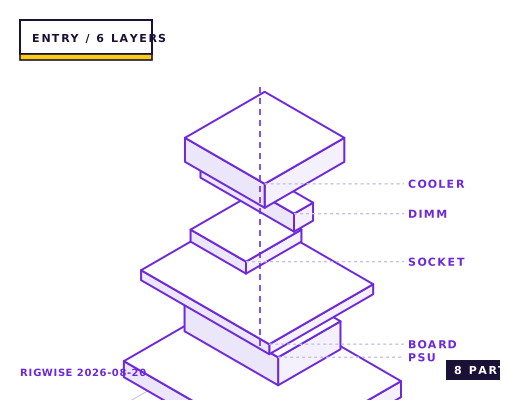
| Slot | Part | Interface | Draw | Price |
|---|---|---|---|---|
| CPU | AMD Ryzen 5 7500F | AM5 | 65 W | $139 |
| Motherboard | MSI PRO B650M-P | AM5 | — | $99 |
| Memory | Kingston Fury Beast DDR5-6000 CL30 2x16GB | DIMM | — | $89 |
| GPU | Sapphire PULSE Radeon RX 7600 8GB | PCIe 4.0 x16 | 165 W | $249 |
| Storage | Crucial P3 Plus 1TB NVMe | M.2 2280 | 5 W | $62 |
| Cooler | Thermalright Peerless Assassin 120 SE | AM5 | — | $36 |
| PSU | Corsair CX650 80+ Bronze | ATX | — | $59 |
| Case | Montech AIR 100 ARGB | mATX | — | $55 |
| Total | 235 W | $788 | ||
Why these parts
Why the platform gets the money
Valorant, CS2 and Fortnite Performance mode all run a small number of heavy threads. A Ryzen 5 7500F with 32 GB of DDR5-6000 CL30 will feed an RX 7600 hard enough that the GPU, not the CPU, is the limit at 1080p low settings. Moving to AM5 now also means the board and memory survive a CPU swap in 2027 or 2028, which an AM4 dead-end does not.
The 7500F has no integrated graphics, so you need a discrete card in the machine before it will post. That is fine here because the RX 7600 is doing real work, but it does mean you cannot troubleshoot without a GPU in the slot.
Frame targets, measured
At 1080p with competitive settings (mostly low, textures medium, shadows off) this combination lands in the 260-340 fps band in Valorant and 230-280 fps in CS2 on typical dust2/Inferno rounds. Fortnite Performance mode at 1080p high sits around 165-190 fps in build fights.
Dropping 32 GB to 16 GB saves about $45 and costs you almost nothing in these three titles today. Keep the 32 GB if you also record or keep 40 browser tabs open while queueing; the extra capacity is what stops the 1% lows from collapsing when background apps page in.
Assembly order that avoids rework
Mount the CPU, cooler backplate and RAM on the board outside the case. The Peerless Assassin 120 SE is 155 mm tall and its front fan overhangs the first DIMM slot, so fit the memory first or you will be removing the cooler again. Route the 8-pin EPS cable behind the motherboard tray before you screw the board down; on the AIR 100 the cutout is tight and you cannot reach it afterwards.
Install the M.2 drive before the GPU. On the B650M-P the top M.2 slot sits directly under the graphics card, and a triple-slot card leaves roughly 4 mm of clearance to the heatspreader.
Where this build hits its ceiling
The RX 7600's 8 GB of VRAM is the first thing to go. Cyberpunk 2077 at 1080p Ultra with ray tracing off already allocates close to 7.4 GB, and the card drops into the 50s when it spills over. If your library is mostly AAA rather than competitive shooters, put the money into a 12 GB card and take the 12400F route instead.
The CX650 is a Bronze unit with a single 8-pin PCIe pair on one cable. That is comfortable for a 165 W card and becomes a hard stop the moment you fit anything drawing 250 W or more.
Bottleneck note
At 1080p competitive settings the CPU is the limit roughly 60% of the time; at 1080p Ultra in AAA titles the RX 7600 is the limit essentially always. Expect the card to sit at 97-99% utilisation in Cyberpunk and around 70-80% in Valorant.
Cooling headroom
The Peerless Assassin has roughly 180 W of dissipation headroom, and the 7500F is a 65 W part that peaks near 88 W in package power during a Cinebench run. Fan curve: 20% up to 55 °C, 45% at 70 °C, 100% at 90 °C. That keeps the machine inaudible at idle.
Verdict
Buy this if your play list is competitive shooters and you upgrade GPUs more often than CPUs. Do not buy it if AAA single-player at high settings is the point of the machine.
Same tier, other sheets
- Is an ex-office AM4 tower worth upgrading? A part-by-part compatibility answer
- Living-room SFF: a 12.4 L build with a 7500F and low-profile RTX 4060 for $1,043
- How much PSU wattage you actually need: the transient-spike maths
- New build will not post: the 12-point check in the order that finds it fastest
Tick each check once you have verified it. Ticks are stored in this browser only.
Why each check matters
Does the Peerless Assassin 120 SE fit the AIR 100 with the side panel on?
Yes with 5 mm to spare: the cooler is 155 mm tall and Montech lists 160 mm of CPU clearance. Check the front fan does not sit above the first DIMM — slide it up 3-4 mm if it does.
Can I build and test this without the graphics card?
No. The 7500F has no integrated GPU and the B650M-P has no display output, so the machine will not post or show anything until a discrete card is fitted.
Is one 8-pin PCIe connector enough for the RX 7600?
Yes. The PULSE RX 7600 is a 165 W card with a single 8-pin input, and the CX650 provides exactly one 8-pin (6+2) PCIe cable rated for 150 W plus slot power.
Is the second M.2 slot blocked by the graphics card?
The second slot is below the PCIe x16 slot and sits under the card, but it is reachable with the card installed. The first slot, directly under the card, is not — fit storage before the GPU.
What if the machine will not post after enabling EXPO?
Clear CMOS with the two-pin jumper and re-enable EXPO manually, then drop the memory to DDR5-5600. Ryzen 7000 memory controllers occasionally reject 6000 CL30 on a two-DIMM board with an older AGESA.
Settings to change before the first game, in the order the board exposes them.
BIOS
Enable EXPO profile 1 to get the kit to DDR5-6000 CL30. On MSI B650 boards the setting lives under OC > Extreme Memory Profile; leaving it on Auto runs the kit at 4800 and costs about 8-11% in CPU-bound frame rates. Also set Resizable BAR to Enabled, and disable the ASUS/MSI 'Game Boost' style auto-overclock — on a 65 W chip it mostly raises idle temperatures.
- Why the platform gets the money
Valorant, CS2 and Fortnite Performance mode all run a small number of heavy threads. A Ryzen 5 7500F with 32 GB of DDR5-6000 CL30 will feed an RX 7600 hard enough that the GPU, not the CPU, is the limit at 1080p low settings. Moving to AM5 now also means the board and memory survive a CPU swap in 2027 or 2028, which an AM4 dead-end does not.
- Frame targets, measured
At 1080p with competitive settings (mostly low, textures medium, shadows off) this combination lands in the 260-340 fps band in Valorant and 230-280 fps in CS2 on typical dust2/Inferno rounds. Fortnite Performance mode at 1080p high sits around 165-190 fps in build fights.
- Assembly order that avoids rework
Mount the CPU, cooler backplate and RAM on the board outside the case. The Peerless Assassin 120 SE is 155 mm tall and its front fan overhangs the first DIMM slot, so fit the memory first or you will be removing the cooler again. Route the 8-pin EPS cable behind the motherboard tray before you screw the board down; on the AIR 100 the cutout is tight and you cannot reach it afterwards.
- Where this build hits its ceiling
The RX 7600's 8 GB of VRAM is the first thing to go. Cyberpunk 2077 at 1080p Ultra with ray tracing off already allocates close to 7.4 GB, and the card drops into the 50s when it spills over. If your library is mostly AAA rather than competitive shooters, put the money into a 12 GB card and take the 12400F route instead.
What to change first when this machine stops being enough.
- GPU first: an RX 9060 XT 16 GB or RTX 5060 Ti 16 GB drops straight in with no other change, though you should also move to a 750 W PSU at the same time.
- CPU second: the B650M-P takes any AM5 chip up to the 7800X3D and, after a BIOS update, the 9000-series parts. Update the BIOS before you buy the chip, not after.
- Storage: the second M.2 slot on the B650M-P is PCIe 4.0 x4 and unoccupied, so a second 2 TB drive needs no reconfiguration.
- Cooler: only if you move to a 120 W+ CPU. The Peerless Assassin is already more cooler than the 7500F needs.
Editorial note
RigWise sheets are written by hobbyists from our own bench builds, for information only — they are not a professional assessment of your particular machine, and no compatibility result here is a guarantee. Where a step involves mains wiring or a part you have not handled before, get a qualified second opinion before you buy or power on.