
Is an ex-office AM4 tower worth upgrading? A part-by-part compatibility answer
Ex-corporate towers with a Ryzen 5 2600 or 3400G sell for $90-140 and look like a cheap route into gaming. Whether that works depends on four specific things inside the case, not on the CPU model on the listing.
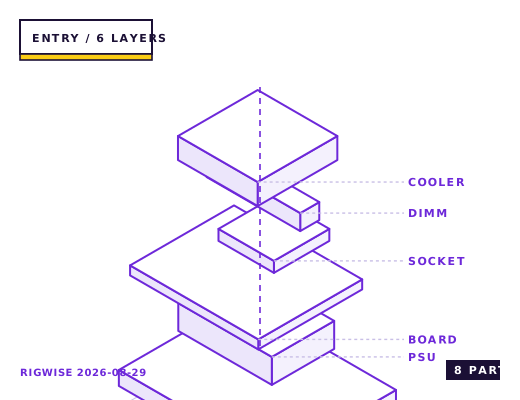
| Slot | Part | Interface | Draw | Price |
|---|---|---|---|---|
| CPU | AMD Ryzen 5 5600 | AM4 | 65 W | $105 |
| Motherboard | Existing B450 micro-ATX board (keep) | AM4 | — | — |
| Memory | Patriot Viper Steel DDR4-3200 CL16 2x8GB | DIMM | — | $35 |
| GPU | Used Radeon RX 6600 8GB | PCIe 4.0 x16 | 132 W | $210 |
| Storage | WD Blue SN580 1TB NVMe | M.2 2280 | 4 W | $40 |
| Cooler | Thermalright Assassin X 90 SE | AM4 | — | $22 |
| PSU | MSI MAG A650BN 80+ Bronze | ATX | — | $55 |
| Case | Existing OEM tower (keep) | ATX | — | — |
| Total | 201 W | $467 | ||
Why these parts
The four things to check before you pay
First, the power supply form factor. Dell OptiPlex and HP ProDesk towers from 2018-2021 frequently use a proprietary 6-pin or 8-pin main connector, which means no off-the-shelf PSU will go in without an adapter and often not even then. If the PSU has a standard 24-pin ATX connector you are fine; if it has a single 6-pin, walk away.
Second, the motherboard chipset. A320 boards do not officially support Ryzen 5000 and many never received the BIOS. B450 and B550 boards mostly did. Check the vendor's CPU support list using the exact board model string printed on the PCB, not the system model.
Third, physical clearance: measure from the rear I/O to the front drive cage. Office towers are often 300 mm deep internally, which rules out most modern triple-fan cards.
Fourth, the front panel header. Several OEM boards use a proprietary front-panel pinout, which means a replacement case needs a pin-rewiring adapter.
What is worth keeping
The case, the CPU cooler mounting hardware, and often the SSD are reusable. DDR4 memory in these machines is usually 2666 or 2933 MHz with loose timings; a Ryzen 5000 chip will run it, but you will lose 5-8% versus a 3200 CL16 kit, so budget $35 for a proper pair if the board has four slots free.
The CPU itself is rarely worth keeping. A Ryzen 5 2600 has roughly 60% of a Ryzen 5 5600's gaming frame rate, and the 5600 is a $105 part that drops into any B450 board with the right BIOS.
The realistic total
Working example: $120 for the tower, $105 for a Ryzen 5 5600, $35 for 16 GB DDR4-3200, $75 for a 650 W ATX PSU (if the original is proprietary), $210 for a used RX 6600, $40 for a 1 TB NVMe. That is $585 and it lands within 12% of a new AM4 build with a warranty, which is the number that decides the question.
The upgrade only wins clearly if the tower's PSU is standard ATX and the board is B450 or B550. If either is false, the $120 tower becomes a $120 case and nothing else.
Windows and licensing
Ex-corporate machines usually ship with a Windows digital licence tied to the motherboard, and that licence survives a CPU swap. It does not survive a motherboard swap. If you plan to change the board, budget for a licence or plan to run Linux — the 5600 plus an RX 6600 is well supported on kernel 6.x with Mesa 24.
Bottleneck note
In a 2600-to-5600 swap the GPU becomes the limit almost immediately. A used RX 6600 at 1080p will be the constraint in every title this platform can run comfortably.
Cooling headroom
The stock Wraith Stealth that came with the 2600 handles a 5600's 65 W with about 15 °C of headroom, but it is the loudest part of the build. A $22 single-tower cooler with a 92 mm fan drops load temperatures by 12-15 °C and removes most of the noise.
Verdict
Worth it when the tower has a standard ATX PSU and a B450/B550 board. Not worth it otherwise — the savings evaporate in adapters.
Same tier, other sheets
Tick each check once you have verified it. Ticks are stored in this browser only.
Why each check matters
The tower's PSU has a 6-pin main connector — can I use a standard ATX unit?
Only with a 24-pin-to-6-pin adapter made for that exact OEM, and those adapters are frequently miswired for the 12 V sense line. If the PSU is proprietary, treat the build as needing a new case, which changes the economics entirely.
My board is an A320 — will a Ryzen 5 5600 post?
Officially no. A few vendors shipped a beta AGESA for specific A320 models, but there is no guarantee and no support path if it fails. Check the support page for your exact model string; if there is no 5000-series entry, do not buy the CPU.
Will an RX 6600 lose performance in a PCIe 3.0 x16 slot?
In practice no. The RX 6600 has only eight PCIe lanes, so on a 3.0 x16 slot it runs at 3.0 x8, which costs 2-4% versus 4.0 x8 in the titles that stream textures aggressively. That is well inside run-to-run variance.
I want to move the parts into a new case — will the front panel connectors fit?
OEM boards often use a single proprietary block instead of separate power/LED pins. If yours does, you need a pin-rewiring adapter or you will have no power button. Check by comparing the header to a standard Intel FPIO layout.
Does the Assassin X 90 SE reuse the AM4 stock backplate?
Yes. AM4 keeps the stock plastic backplate, and Thermalright includes standoffs that screw into it. Do not remove the backplate — it is adhesive-mounted on many OEM boards and will not reseat cleanly.
Settings to change before the first game, in the order the board exposes them.
BIOS
Update the BIOS before you fit the new CPU, using the old chip. Rename the BIOS file exactly as the vendor's flash tool expects, and if the board has BIOS Flashback, prefer that route because it does not need a working CPU. After the swap, re-enable DOCP/XMP — a CMOS clear during the update resets memory to 2133 MHz.
- The four things to check before you pay
First, the power supply form factor. Dell OptiPlex and HP ProDesk towers from 2018-2021 frequently use a proprietary 6-pin or 8-pin main connector, which means no off-the-shelf PSU will go in without an adapter and often not even then. If the PSU has a standard 24-pin ATX connector you are fine; if it has a single 6-pin, walk away.
- What is worth keeping
The case, the CPU cooler mounting hardware, and often the SSD are reusable. DDR4 memory in these machines is usually 2666 or 2933 MHz with loose timings; a Ryzen 5000 chip will run it, but you will lose 5-8% versus a 3200 CL16 kit, so budget $35 for a proper pair if the board has four slots free.
- The realistic total
Working example: $120 for the tower, $105 for a Ryzen 5 5600, $35 for 16 GB DDR4-3200, $75 for a 650 W ATX PSU (if the original is proprietary), $210 for a used RX 6600, $40 for a 1 TB NVMe. That is $585 and it lands within 12% of a new AM4 build with a warranty, which is the number that decides the question.
- Windows and licensing
Ex-corporate machines usually ship with a Windows digital licence tied to the motherboard, and that licence survives a CPU swap. It does not survive a motherboard swap. If you plan to change the board, budget for a licence or plan to run Linux — the 5600 plus an RX 6600 is well supported on kernel 6.x with Mesa 24.
What to change first when this machine stops being enough.
- GPU is the only upgrade that matters: a used RX 6600 or RTX 3060 at 1080p, then stop. Anything faster is wasted on a B450 board's PCIe 3.0 x16 slot.
- CPU ceiling: a Ryzen 7 5700X3D is the last worthwhile AM4 chip, but only fit it if the board has a VRM heatsink — on a bare A320 VRM it will throttle within two minutes.
- Memory: 32 GB only helps if you keep many browser tabs and a VM open. Games on this tier do not need it.
- Skip NVMe Gen4 drives; B450 runs them at Gen3 speeds.
Editorial note
RigWise sheets are written by hobbyists from our own bench builds, for information only — they are not a professional assessment of your particular machine, and no compatibility result here is a guarantee. Where a step involves mains wiring or a part you have not handled before, get a qualified second opinion before you buy or power on.